
Prismm Is Shutting Down. What Should Your Venue Switch To?
Cvent stopped new Prismm events in August 2026, and access ends in June 2027. If your team used Prismm for wedding seating and floor plans, Lovely Seating does that job for each event, to scale.
One wedding free · Agency $79 a month · Cancel anytime

Prismm, per Cvent
- 26 Aug 2026No new Prismm events
- Now until June 2027Existing events still editable
- After June 2027Prismm work turns view-only
What Should a Venue Use After Prismm?
Cvent moves every Prismm account to its own Event Diagramming tool. Venue suites such as Tripleseat and Planning Pod put floor plans next to bookings, BEOs and contracts. Both suit a venue that wants one system.
If the job is each wedding’s guest list, room and seating chart, Lovely Seating does it on a plan drawn to scale. One wedding is free, and Agency is $79 a month for every wedding you host.
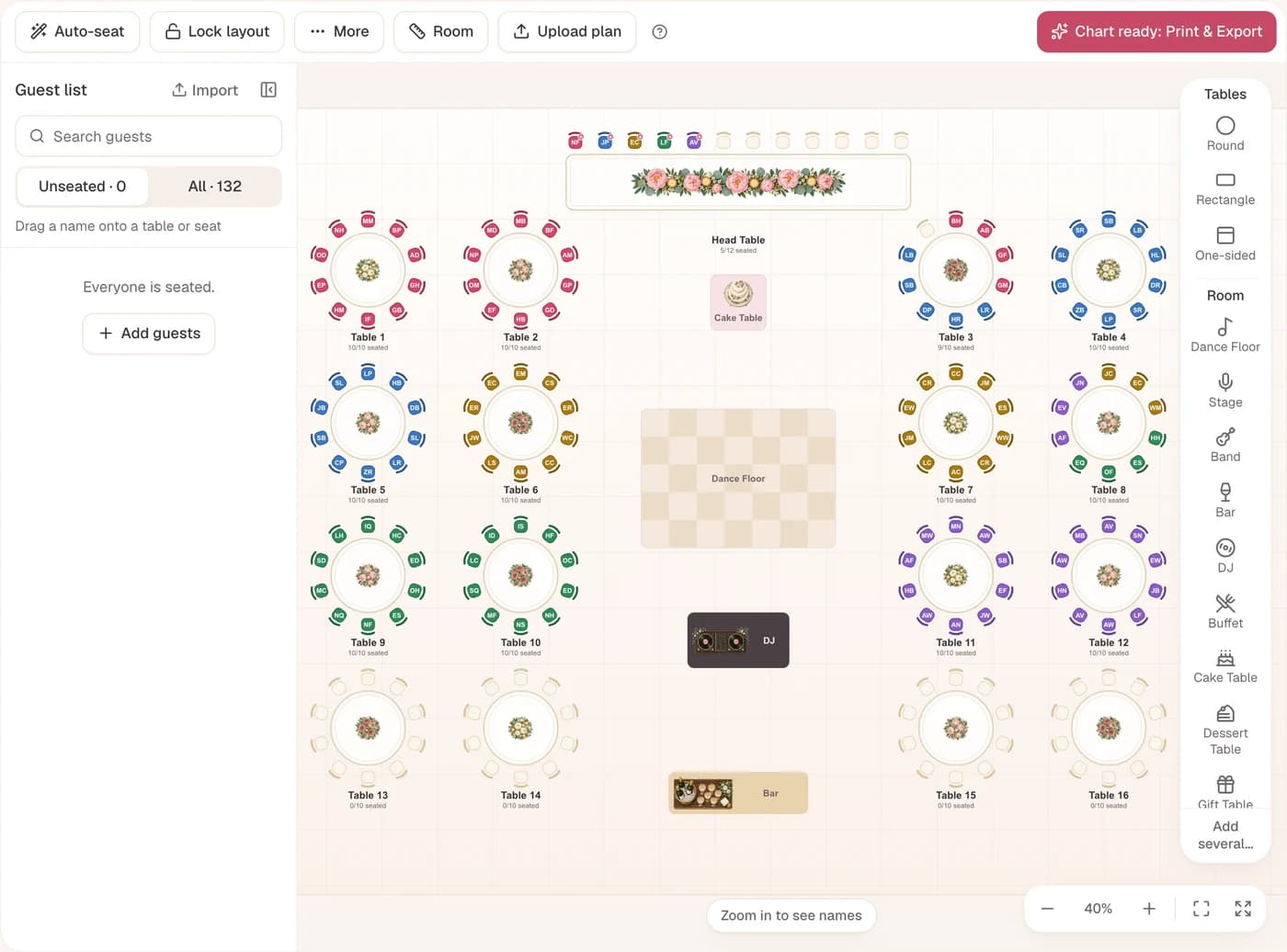
- Upload your floor plan
- Room and tables to scale
- Capacity per layout
- AI guest list import
- Auto-Seat by relationship
- Find Your Seat QR page
Prismm’s Dates, Straight From Cvent
AllSeated became Prismm in 2024, and Cvent bought Prismm in 2025. Cvent’s migration pages give these dates for moving Prismm work into Cvent Event Diagramming.
- 13 May 2026Prismm accounts move to Cvent Event Diagramming.
- 26 Aug 2026Last cutover: new events only in Cvent’s tool.
- Now until June 2027Existing Prismm events stay editable.
- After June 2027Prismm access ends; old work is view-only.
Seen 31 December 2026? Some sites still give that date, with view-only from 1 October. Cvent now says it extended the runway, so plan around June 2027.

What carries over to Cvent
- Users and teams move, matched by email
- Collaboration links work until June 2027
- Only events from 1 January 2022 are listed
- Templates, favourites and groups are rebuilt
Checked on 20 November 2026: Cvent: Event Diagramming resources (Prismm timeline) · Cvent: Moving from Prismm FAQ
The longer story, year by year, is in our guide to what happened to AllSeated.
From Your Floor Plan to a Seated Room
Four jobs Prismm did for wedding teams, shown on the screens you would use.
Venue floor plan upload:Put Your Own Floor Plan Under the Event
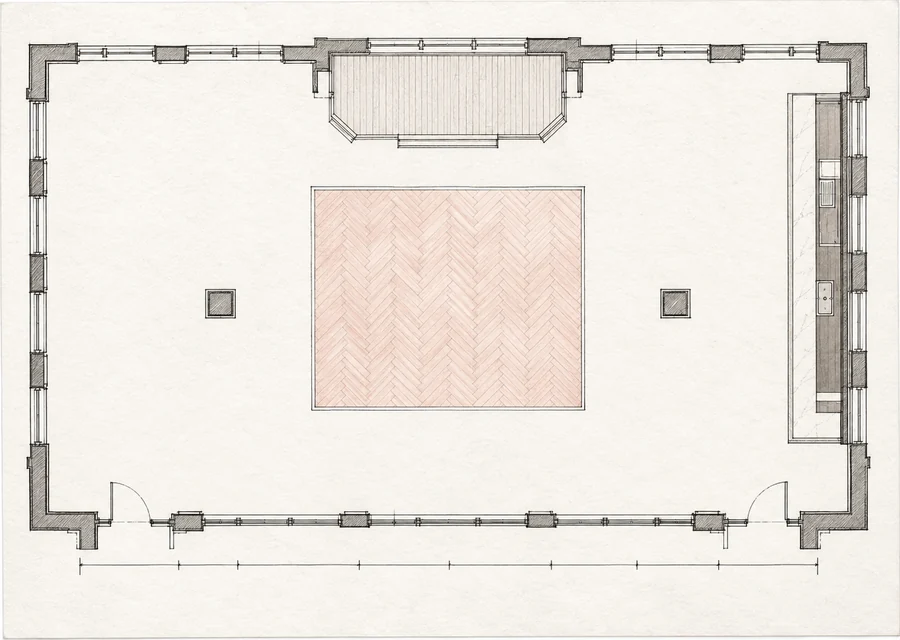
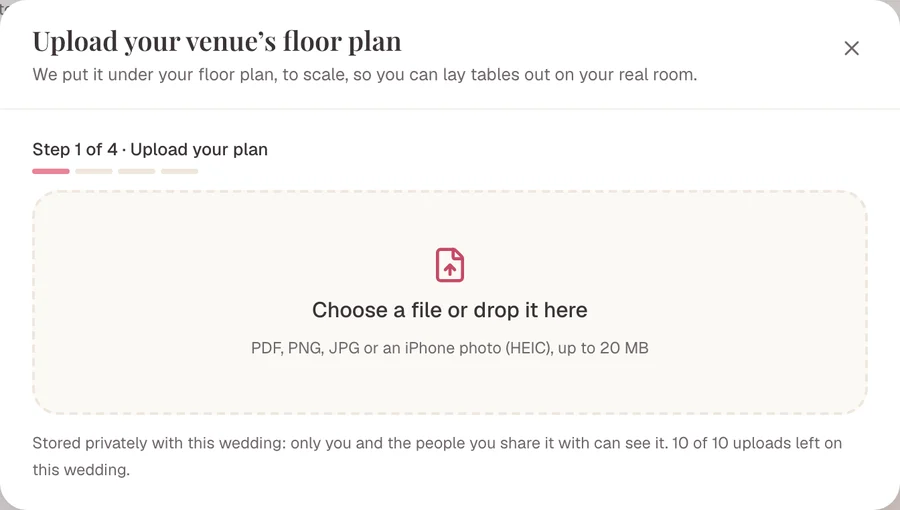
Upload the room as a PDF, PNG, JPG or iPhone photo up to 20 MB, then confirm one wall’s length to set the scale. AI reads the walls, doors, bar and dance floor as shapes you can edit. It never places tables.
- Room and tables in metres or feet
- 10 AI plan reads per wedding on Agency
- Stored privately with the wedding
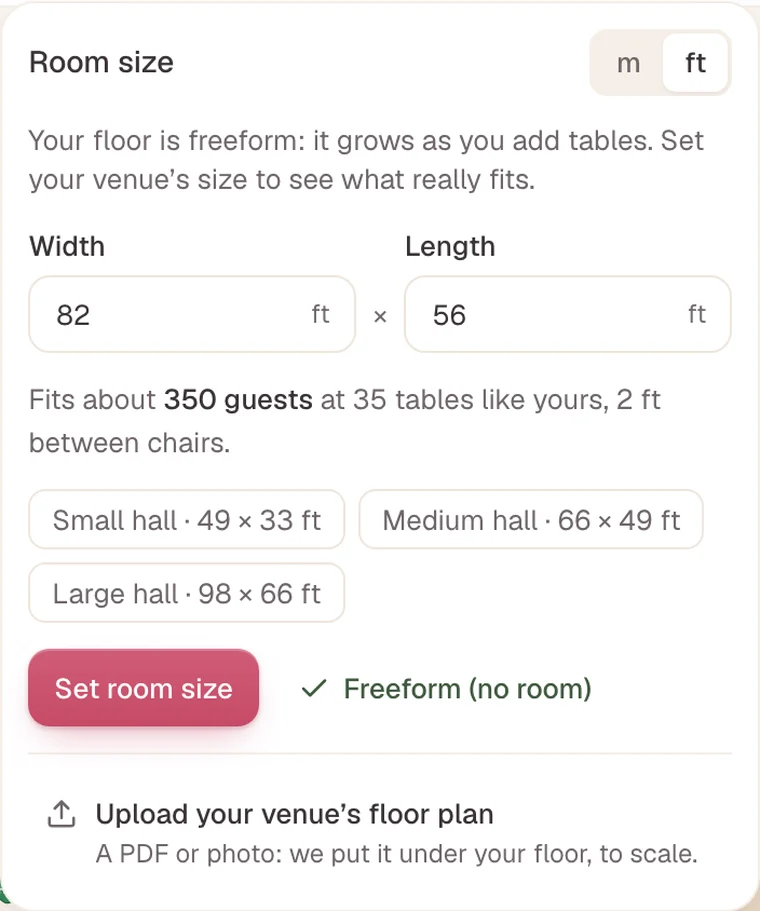
Capacity and layout checks:See What Fits Before the Room Is Set
Type the room’s width and length, and the panel says about how many guests fit at tables like yours. Lay out my tables then offers up to three layouts, keeping exits, the bar and the dance floor clear.
- Tables past a wall are outlined in red
- Gaps under 60 cm (2 ft) show as Tight
- Rental sizes: 5 to 6 ft rounds, 8 ft banquets
Guest list import and Auto-Seat:Take the Couple’s List, Then Seat It
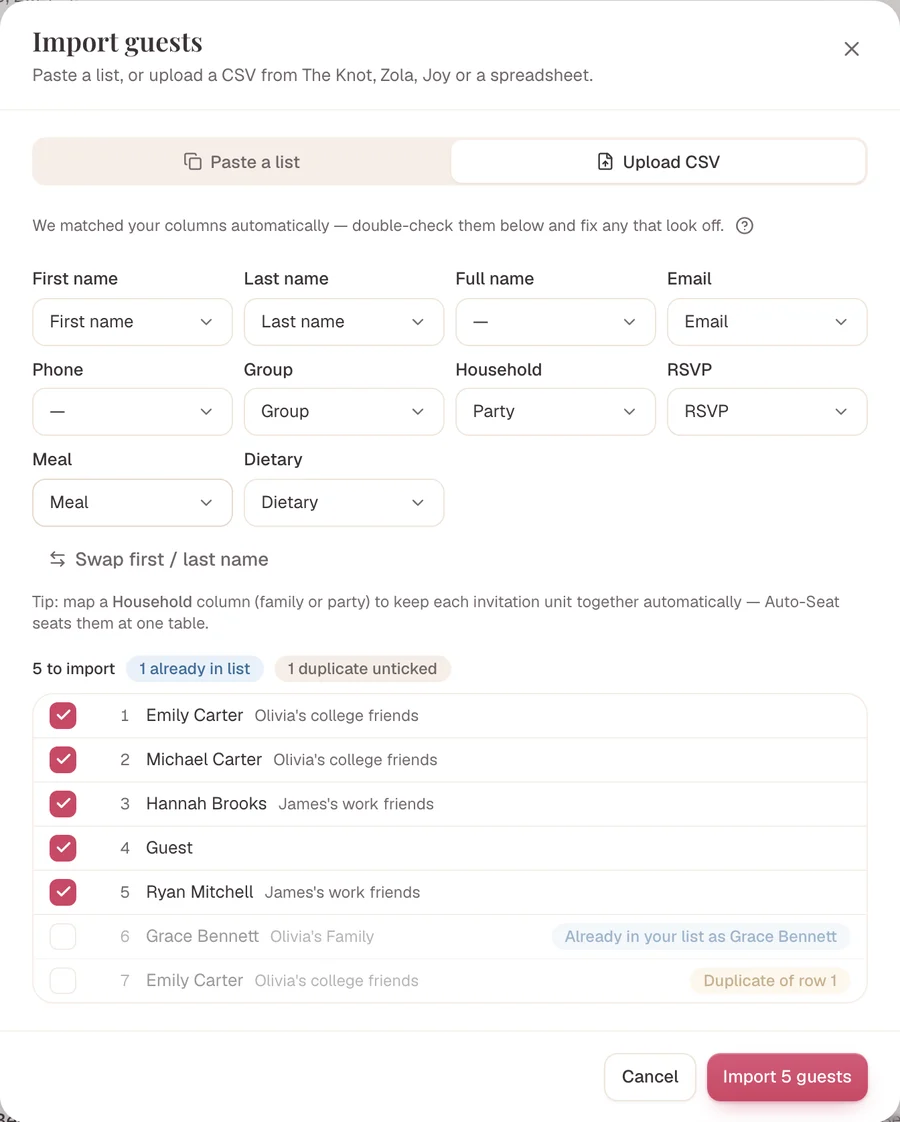
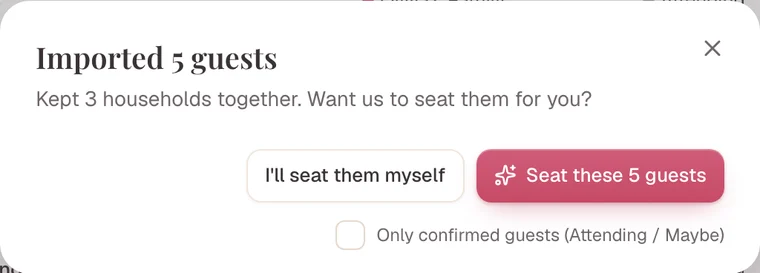
Upload a CSV or paste rows. For a messy file, AI import reads Excel, Word and text PDFs and sorts out households and plus-ones. Auto-Seat then fills the tables around the rules the couple gives you.
- Keep-together and keep-apart rules
- Never moves a guest you placed
- Photos and scanned lists aren’t read
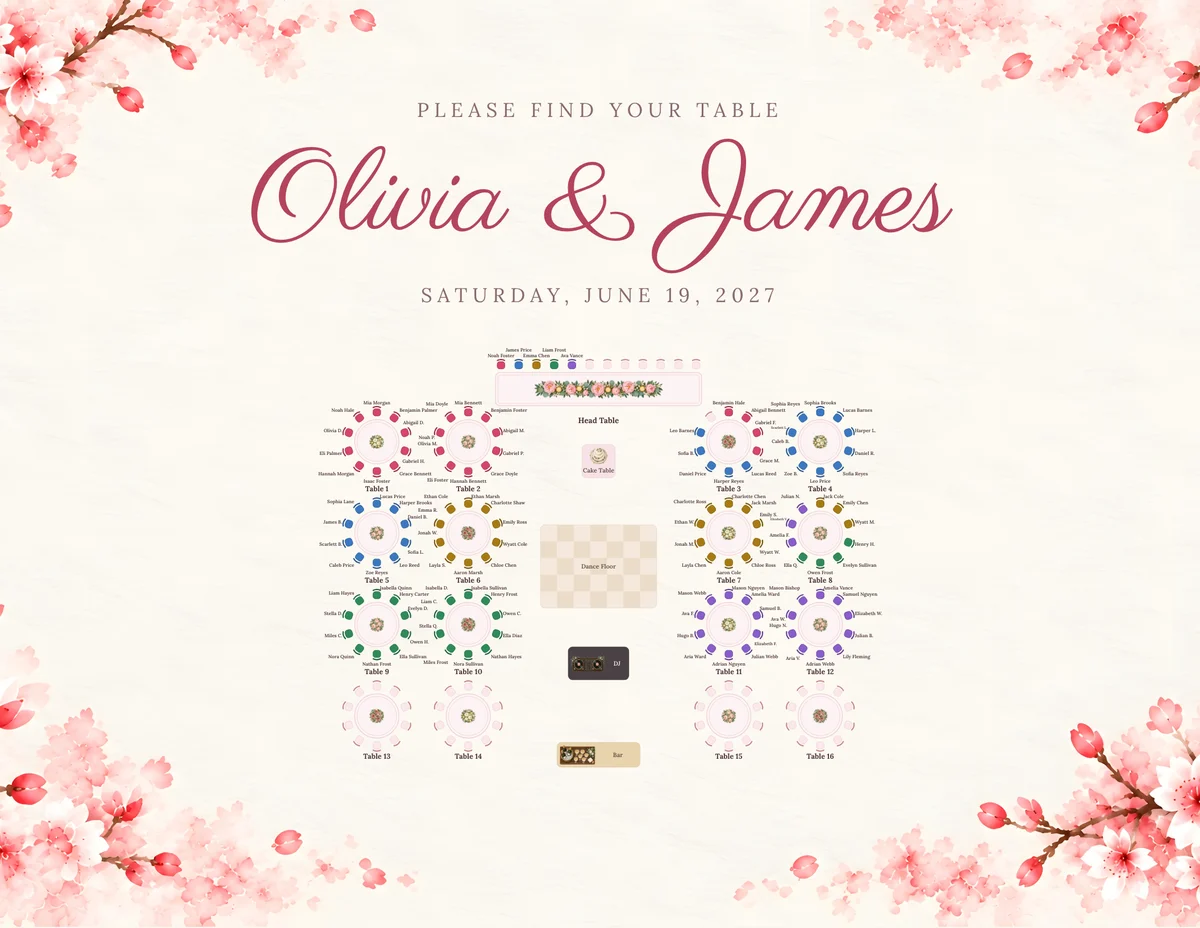
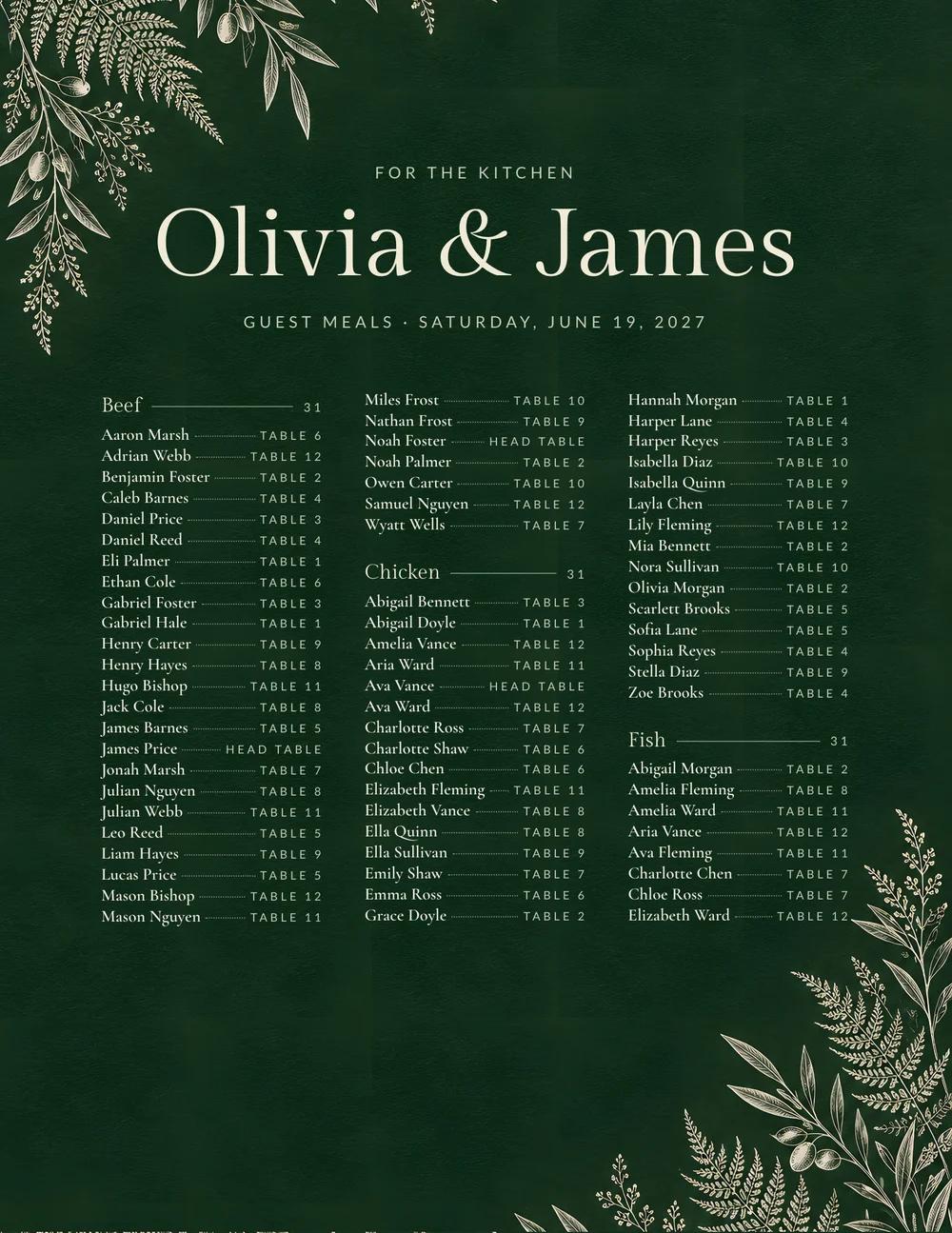
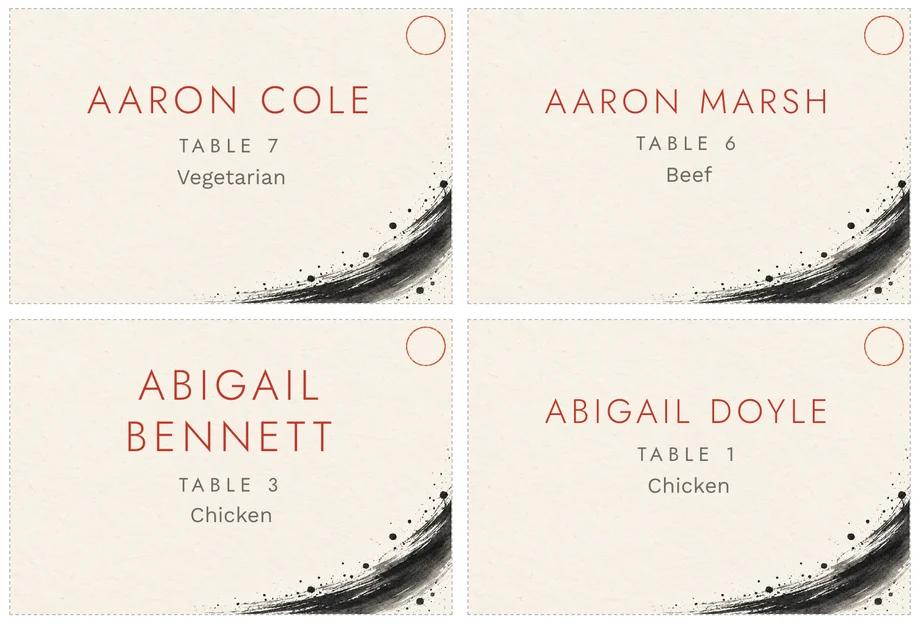
Printable seating charts:Hand Over Charts, Cards and a Meal List
Export the floor-plan chart, table lists, place cards and a meal list per table for the kitchen, in 12themes. Save each one as an image, or print it to PDF from the browser.
- Sizes from A4 up to a 30 × 40 in poster
- One theme across every printed piece
- No Lovely Seating credit on Agency
Handy for Teams Who Share Every Event
Invite the Couple and Their Planner
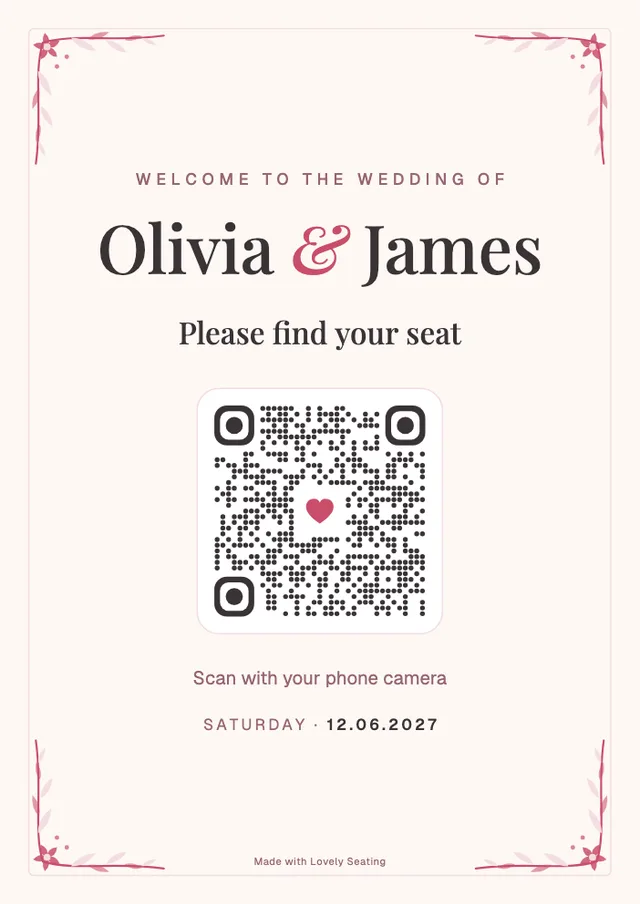
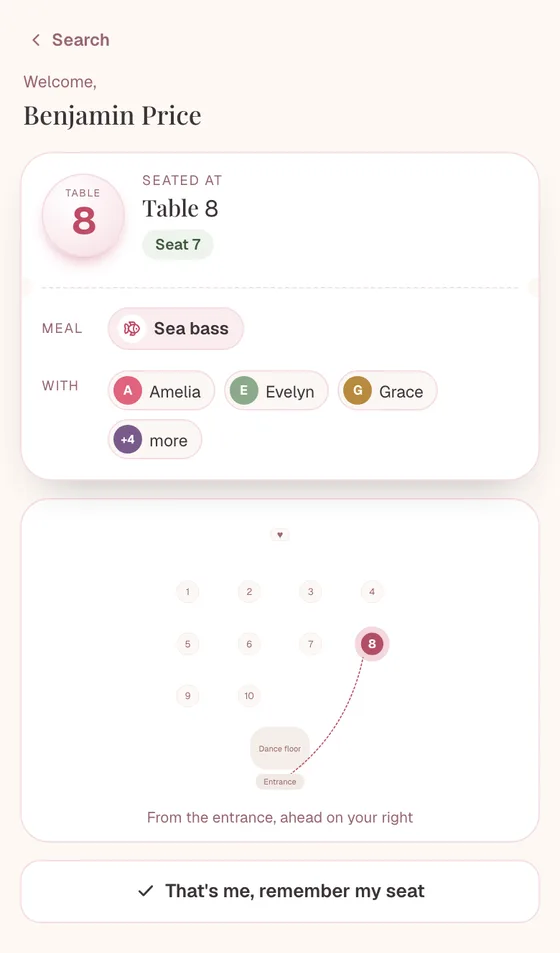
A QR Seat Finder for Each Wedding
Same 132 guests in every plan
Several Plans per Wedding
Reuse a Room You Know
Exports Without Our Name
Is Lovely Seating Right for Your Venue?
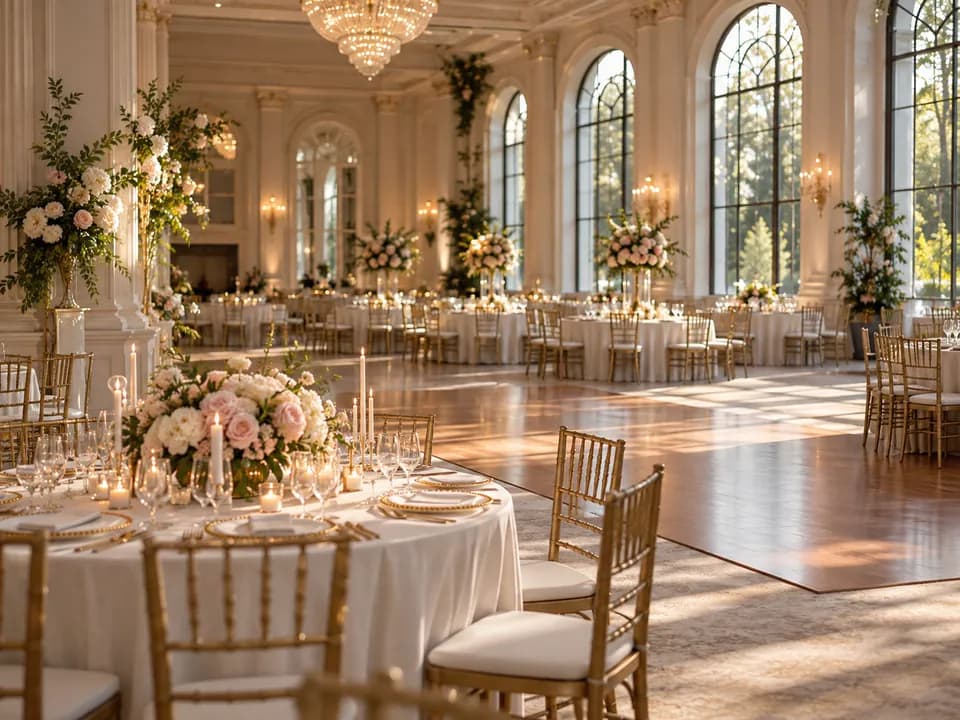
It is built for one wedding at a time: the guest list, the room and the chart. It is not a venue management suite, and these are the gaps to know about before you move.

A good fit when
- You seat weddings one event at a time
- Couples or planners send you the guest list
- You want the real room with real table sizes
- You hand over printed charts and a QR page
- Auto-Seat should do the first seating pass
- The couple or planner edits the plan with you
What it doesn’t do
- No saved room library; duplicate a past wedding
- Rooms live inside each wedding, not a venue account
- No CAD, DWG or DXF import; PDFs and images only
- No venue event calendar or booking tool
- No BEOs, contracts, invoices or payments
- No 3D walkthroughs; the plan is a 2D room
Need those? Cvent Event Diagramming, Tripleseat or Planning Pod will suit you better, as the table below shows.
Cvent, Tripleseat, Planning Pod or Lovely Seating?
What each tool offers a venue seating weddings. Vendor facts come from their own sites.
| Agency planLovely Seating | Social TablesCvent Event Diagramming | Formerly MerriTripleseat Floor Plans | Venue business suitePlanning Pod | |
|---|---|---|---|---|
| Best at | Seating and floor plans per wedding | Venue and event diagramming | Floor plans tied to Tripleseat events | Running the whole venue business |
| Price | $79 a month, unlimited weddings | Free for 3 events; paid $49 to $320 a month | Venue plan from $150 a month | Quoted after a demo |
| Commitment | Monthly, cancel anytime | 12 months on paid plans | Not stated | Not stated |
| Floor plan to scale | Room and tables in m or ft | To-scale floor plan uploads | To-scale 2D diagrams | To-scale layouts |
| Upload the venue’s plan | PDF, PNG, JPG or phone photo | DWG, PDF, JPEG or PNG | Not stated | Not stated |
| Saved room templates | Duplicate a past wedding | Saved layouts, on Pro and up | Not stated | Reusable seating templates |
| Auto-seating | By relationship and rules | Not stated | Not stated | Auto-seats all attendees |
| Guest list import | CSV, or AI from Excel, Word, PDF | Excel template upload | Not stated | Upload or type the list |
| Guest QR seat finder | Find Your Seat per wedding | Not stated | Not stated | Not stated |
| 3D view | No, a 2D room | 3D on Enterprise | 3D walkthroughs | Not stated |
| Bookings, BEOs, contracts | No | BEO uploader on Pro and up | In Tripleseat’s event platform | Calendar, BEOs, contracts, invoices |
Yes Partly No Not stated on its siteScroll sideways for every column
Checked on each vendor’s own site in November 2026; a question mark means the site doesn’t say. Cvent Event Diagramming signs in through Social Tables and shares its price list. Sources: Cvent Event Diagramming pricing · Social Tables pricing · Tripleseat Floor Plans · Floor Plans for venues (Merri by Tripleseat) · Planning Pod seating charts · Planning Pod homepage
Moving an Event Out of Prismm
Nothing moves across by itself, so do it one event at a time. Start with your next wedding, then the ones dated before 2022, which Cvent’s new home page doesn’t list.
- 1Export what Cvent says to keepSave each event’s floor plans and reports before June 2027.
- 2Bring the guest list inA CSV, or AI import reading an Excel, Word or text PDF file.
- 3Put the old plan under the roomUpload the floor plan PDF and confirm one wall to set the scale.
- 4Seat it and invite the coupleAuto-Seat a first pass, then share it as Editor or Viewer.
What we couldn’t confirm: Cvent doesn’t name a guest list CSV export for Prismm. If you can’t find one, ask Cvent at prismm-migration@cvent.com.
Agency: Every Wedding for One Monthly Price
Unlimited weddings and seating plans, white-label exports and priority support.
Agency
For planners with many client weddings.
- Everything in Pro
- Unlimited weddings and seating plans
- Invite each couple into their own plan
- 10 AI list imports per wedding
- White-label every export
- Version history across all plans
- Priority support
- Cancel anytime
Have an account? Start Agency from Upgrade
Which plan fits?
- Trying it on one weddingFree · no card needed
Build one wedding with the whole guest list and room. The first 60 seated guests show on every output.
- The couple runs the planTheir Pro · $39 once
The couple buys Pro for their wedding and invites your coordinator as an Editor.
- A season of weddingsAgency · $79 a month
Every wedding you host in your own account, with no credit line on exports.
Independent planners use the same plan, and our page for wedding planners shows their season.
Venue Questions About the Switch
Is Prismm shutting down?+
Yes. Cvent bought Prismm in 2025 and stopped new Prismm events on 26 August 2026. Existing events stay editable until June 2027, when Prismm access ends.
After that, Prismm work is view-only in Cvent.
Does Prismm close on 31 December 2026 or in June 2027?+
June 2027, according to Cvent’s migration pages today. Some sites still give 31 December 2026, with view-only from 1 October.
Cvent now says it extended the runway, so plan around June 2027.
What should my venue switch to?+
It depends on the job. For venue-wide diagramming with saved layouts, CAD uploads or 3D, Cvent Event Diagramming is where Cvent moves Prismm accounts.
For each wedding’s guest list, seating chart and to-scale floor plan, Lovely Seating covers it, from one free wedding to Agency at $79 a month.
Is there a free alternative to Prismm for seating charts and floor plans?+
Yes. Lovely Seating is free for one wedding, with an unlimited guest list and tables, a to-scale floor plan, Auto-Seat and exports.
Every output shows the first 60 seated guests. Cvent Event Diagramming also has a free plan for 3 events and 150 attendees per list.
Can we upload our venue’s own floor plan?+
Yes. Upload a PDF, PNG, JPG or iPhone photo up to 20 MB and confirm one wall’s length to set the scale. AI reads the walls and fixed features as shapes you can edit.
CAD files such as DWG or DXF aren’t read, so save a PDF first.
Can we save a room layout and reuse it for every wedding?+
Not as a template library. Duplicate a past wedding instead: the copy keeps its seating plans and guests, then you delete the guests to keep just the room.
Each wedding has its own copy of the room.
Does it check how many guests fit in a room?+
Yes. Set the room’s width and length and the panel says about how many guests fit at tables like yours. Lay out my tables offers up to three layouts with their capacity.
Tables past a wall are outlined in red.
How do we move an event out of Prismm?+
Export the floor plans and reports you want to keep before June 2027, as Cvent advises.
Import the guest list as a CSV, or let AI import read an Excel, Word or text PDF file. Then upload the old floor plan PDF under the room and add the tables.
Table and seat numbers don’t import, so seat guests afterwards.
Can Prismm export a guest list as a CSV?+
We couldn’t confirm it. Cvent’s pages tell Prismm users to export the floor plans and reports they want to keep, without naming a guest list format.
If a report comes out as Excel or a PDF with text, AI import can read it. Cvent answers migration questions at prismm-migration@cvent.com.
Can the couple and their planner work on the same plan?+
Yes. Invite them as Editors or Viewers, and they join with a free account. One person edits at a time, so changes never clash.
On a wedding you own on Agency, they get the paid features too.
Does Lovely Seating replace a venue management system?+
No. There’s no booking calendar, BEOs, contracts or invoices. It handles each event’s guest list, seating chart and floor plan.
If you run bookings in Tripleseat or Planning Pod, it can sit beside them for seating.
How much does it cost for a venue?+
Agency is $79, £59, €69, CA$109, A$109 or NZ$139 a month, cancel anytime, for unlimited weddings and seating plans.
One wedding is free, and a couple can buy Pro once for their own wedding and invite your team.
Planning your own wedding instead? Our AllSeated alternative for couples is the better read.

Next season’s weddings, ready in one place.
Move your next wedding off Prismm for free. Go Agency when the calendar fills.
No credit card to start · Secure checkout by Stripe · Cancel Agency anytime