
The Tableplan.io Alternative
Tableplan.io is a capable browser planner with auto-seat, from $49 per event. Lovely Seating does the same job with a free plan you keep, a room at real size and prints in 12 themes.
Free to start · No card needed
Updated November 2026 · Checked against Tableplan.io’s own help pages

| Name | Household | Diet |
|---|---|---|
| Olivia Bennett | Bennett | Vegetarian |
| Benjamin Price | Price | None |
| Emily Carter | Carter | Nut allergy |
| Michael Carter | Carter | None |
Is Tableplan.io the Right Fit for Your Wedding?
Tableplan.io is a well-made browser planner. It imports your list, auto-seats a first draft, warns you about mistakes and shares a find-my-seat link. You pay $49 per event to save, share or print.
Lovely Seating covers the same ground with seating rules you set once, and lets you build and keep the whole plan for free. A one-time Pro shows every seat.
Tableplan.io is great at
- Auto-seat with sit-with and keep-apart
- Checks for over-full or kids-only tables
- A find-my-seat link and a kitchen sheet
Where Tableplan.io’s seating stops
- The free demo holds 30 guests
- Nothing is kept unless you pay
- Its site doesn’t say the room is to scale
What Lovely Seating adds
- A free plan saved to your account
- Your room at real size, in meters or feet
- Place cards and table numbers, 12 themes
Tableplan.io and Lovely Seating, Side by Side
The seating chart only: where each tool is strong, partial or missing.
| Feature | Tableplan.io | Lovely Seating |
|---|---|---|
| Try it free | A demo with no account: 30 guests across 4 tables, kept in your browser | A free account: your whole list and every table, showing the first 60 seated guests |
| Keep your plan free | No: the demo locks 30 minutes after your last change | Yes: saved to your account, with no time limit |
| Automatic seating | Auto-seat for a first draft, keeping households together | Auto-Seat by relationship, on the free plan |
| Seating rules | Sit-with and keep-apart rules | Must sit together, would like to, and keep apart |
| Floor plan | A room you lay out, with dance floor, stage and bar; its site doesn’t say it’s to scale | Your room and tables at real size, in meters or feet |
| Import your list | Paste, CSV or Excel, with households, RSVPs and dietary needs | Paste or CSV, or AI import that sorts households, groups and plus-ones |
| Guest seat finder | A read-only find-my-seat link for invitations or a QR code, on paid plans | Find Your Seat page and QR code, free for the first 60 seated guests |
| Prints | Seating chart, A to Z list and kitchen sheet, saved as PDF | Charts, place and escort cards, table numbers and a meal list, in 12 themes |
| Price | $49 once per event, or $99 a month for planners | Free to start · $39 once for Pro · Agency $79 a month |
Try it free
Tableplan.io
A demo with no account: 30 guests across 4 tables, kept in your browser
Lovely Seating
A free account: your whole list and every table, showing the first 60 seated guests
Keep your plan free
Tableplan.io
No: the demo locks 30 minutes after your last change
Lovely Seating
Yes: saved to your account, with no time limit
Automatic seating
Tableplan.io
Auto-seat for a first draft, keeping households together
Lovely Seating
Auto-Seat by relationship, on the free plan
Seating rules
Tableplan.io
Sit-with and keep-apart rules
Lovely Seating
Must sit together, would like to, and keep apart
Floor plan
Tableplan.io
A room you lay out, with dance floor, stage and bar; its site doesn’t say it’s to scale
Lovely Seating
Your room and tables at real size, in meters or feet
Import your list
Tableplan.io
Paste, CSV or Excel, with households, RSVPs and dietary needs
Lovely Seating
Paste or CSV, or AI import that sorts households, groups and plus-ones
Guest seat finder
Tableplan.io
A read-only find-my-seat link for invitations or a QR code, on paid plans
Lovely Seating
Find Your Seat page and QR code, free for the first 60 seated guests
Prints
Tableplan.io
Seating chart, A to Z list and kitchen sheet, saved as PDF
Lovely Seating
Charts, place and escort cards, table numbers and a meal list, in 12 themes
Price
Tableplan.io
$49 once per event, or $99 a month for planners
Lovely Seating
Free to start · $39 once for Pro · Agency $79 a month
Want the wider field? Read our honest comparison of the best wedding seating chart tools.
What Is Tableplan.io?
Tableplan.io is a browser table planner for weddings, banquets, corporate dinners and birthdays. It says more than 16,000 couples have used it.
You import a list with households, RSVPs and dietary needs, lay out round, square, banquet and sweetheart tables, then drag guests or let auto-seat draft the plan. Checks catch an over-full table or a declined guest who still has a seat.
It is a genuinely good tool, so this is a fair comparison rather than a takedown. The real differences are what you get before paying, the room and the prints.

Tableplan.io at a glance
- Runs on
- Laptop, tablet or phone, in a browser
- Try it
- Demo with no account, 30 guests
- Seating
- Auto-seat plus sit-with, keep-apart
- Guest page
- Find-my-seat link, read-only
- Prints
- Chart, A to Z list, kitchen sheet
- Price
- $49 per event, or $99 a month
Pricing, Plan by Plan
Every plan on Tableplan.io’s pricing page when we checked in November 2026, beside ours. Prices change, so confirm on their site before you buy.
| Tableplan.io | Lovely Seating | |||||
|---|---|---|---|---|---|---|
| Free demo$0 | Event$49once, per event | Pro$99a month | Free$0 | One weddingPro$39once | For plannersAgency$79a month | |
| Events | Browser only | 1 event | Unlimited | 1 wedding | 1 wedding, up to 5 plans | Unlimited weddings |
| Guests | 30 guests, 4 tables | Unlimited | Unlimited | Whole list; shows 60 seated | Every seat | Every seat |
| Saved | 30 minutes, in your browser | To an account, no time limit | To an account | To your account, on every plan | ||
| Auto-seating | Auto-seat with sit-with and keep-apart, on every plan | Auto-Seat by relationship, on every plan | ||||
| Guest seat finder | Not in the demo | Live share link | Live share link | First 60 seated guests | Every guest | For every wedding |
| Prints and export | Not in the demo | PDF prints, Excel or CSV | PDF prints, Excel or CSV | First 60 seated guests | Print-ready, 12 themes | White-label exports |
Scroll sideways for every plan
What one wedding costs
What one wedding costs, every guest seated
- Lovely Seating Pro$39
Once, and you keep the plan
- Tableplan.io Event$49
Once, for one event
- Tableplan.io Pro$99
One month, unlimited events
Tableplan.io shows its prices with a $ sign. Its free demo isn’t shown: it stops at 30 guests and can’t print.
Tableplan.io suits you if
- You want to try a planner with no account at all
- You want a kitchen sheet of dietary needs by table
- You like its five-day money-back guarantee
Better value here if
- You want your whole plan saved before you pay
- You want to pay less once for one wedding
- You plan weddings for clients each month
How Tableplan.io Works
You try the planner in the demo, then pay for the event to save, share and print.
- 01
Open the demo
No account: the sample wedding, or your own list of up to 30 guests.
- 02
Import your guest list
Paste it, or upload a CSV or Excel file.
- 03
Lay out the room
Round, square, banquet and sweetheart tables, the dance floor, stage and bar.
- 04
Seat everyone
Drag guests, or let auto-seat draft the plan within your rules.
- 05
Pay to keep it
$49 for the event saves it, opens the share link and the prints.
Where Tableplan.io Stops Short
It does the core job well. The gaps are smaller here, and most of them sit before you pay.
A short free try
The demo holds 30 guests and locks 30 minutes after your last change.
Scale isn’t stated
You lay out the room, but its site doesn’t say tables are drawn to size.
Fewer printed pieces
A chart, an A to Z list and a kitchen sheet; no place cards listed.
No AI for messy lists
Lists come in by paste, CSV or Excel; its site mentions no AI import.
Beyond the Chart: a Real Room and Prints in 12 Themes
Tableplan.io and Lovely Seating both import a list and auto-seat it in the browser, on any device. So the difference is what comes with the chart.
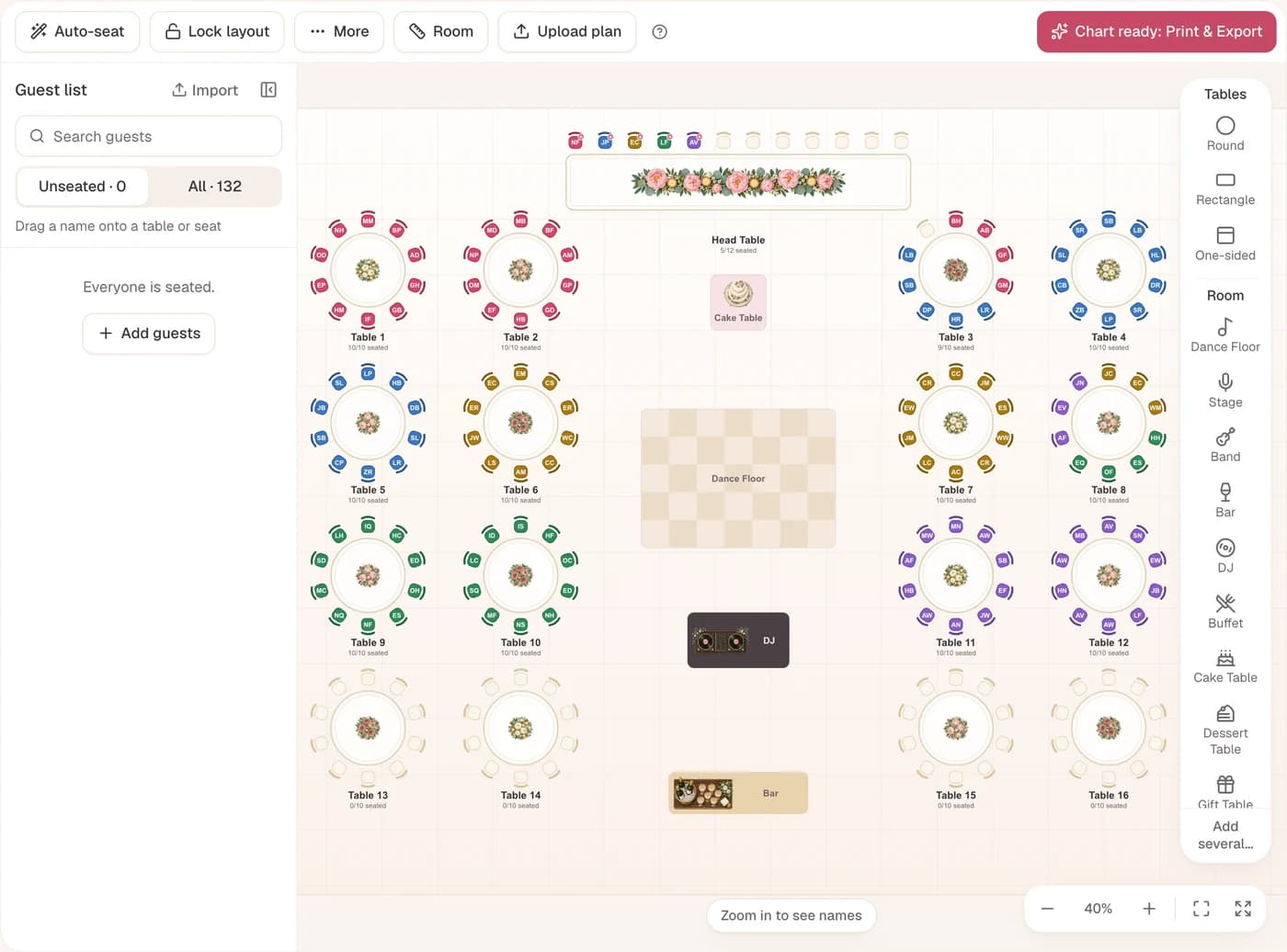
Here your room is drawn at real size, and every guest detail sits on the seat. The prints and the guest page come from the same plan.
A floor plan of your real room
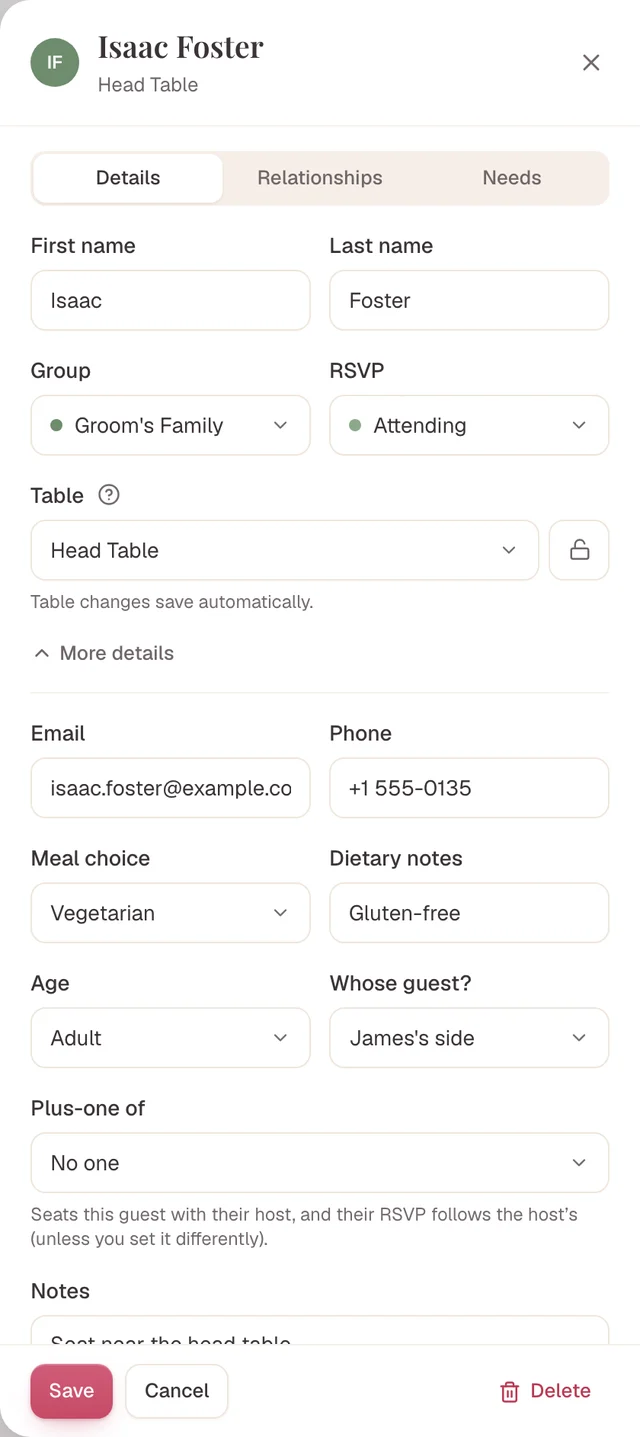
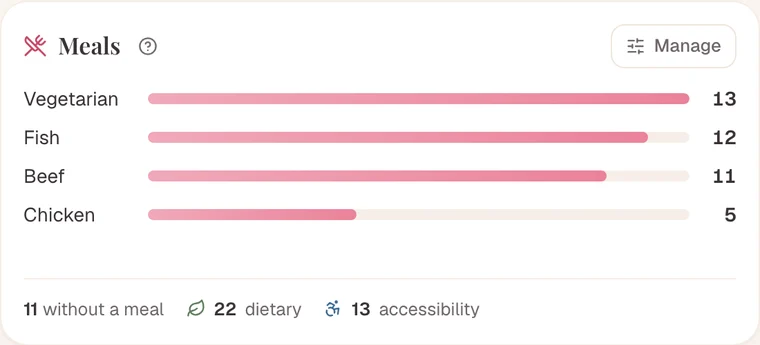
Every guest detail in one place
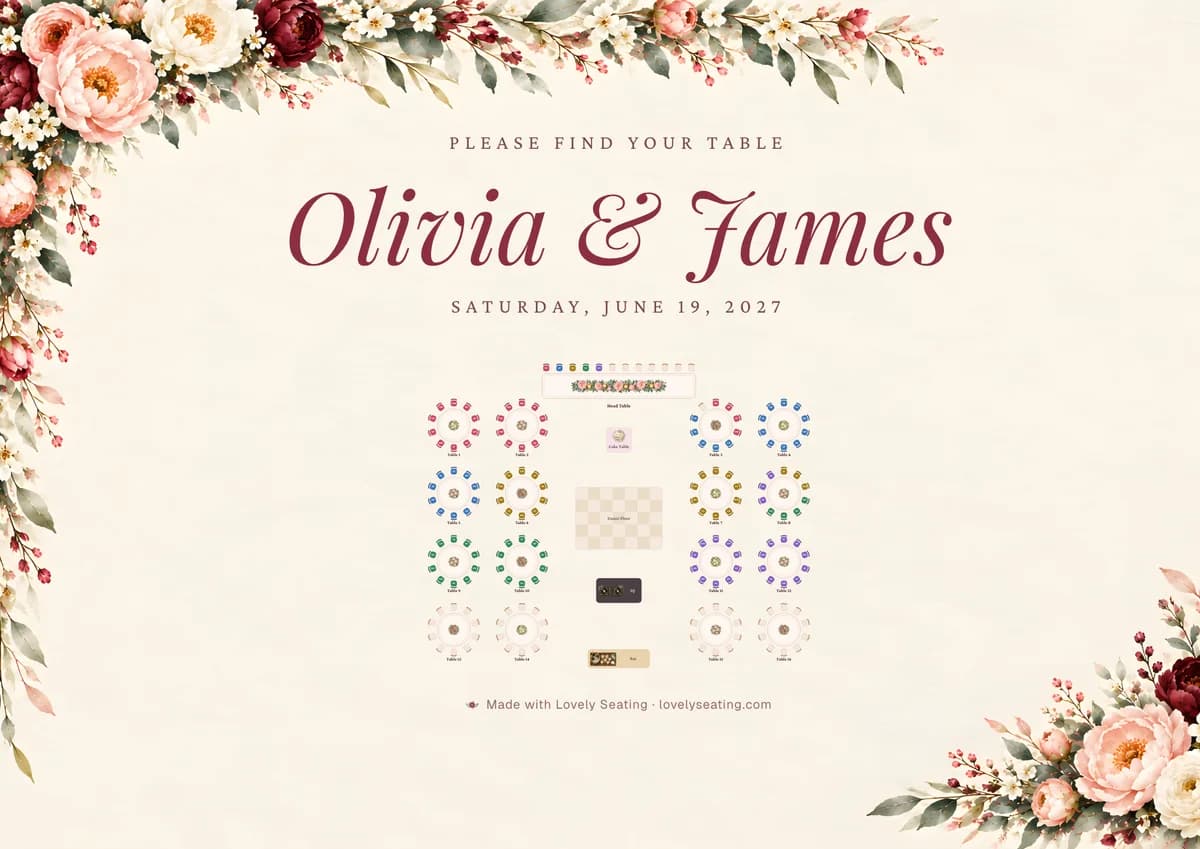
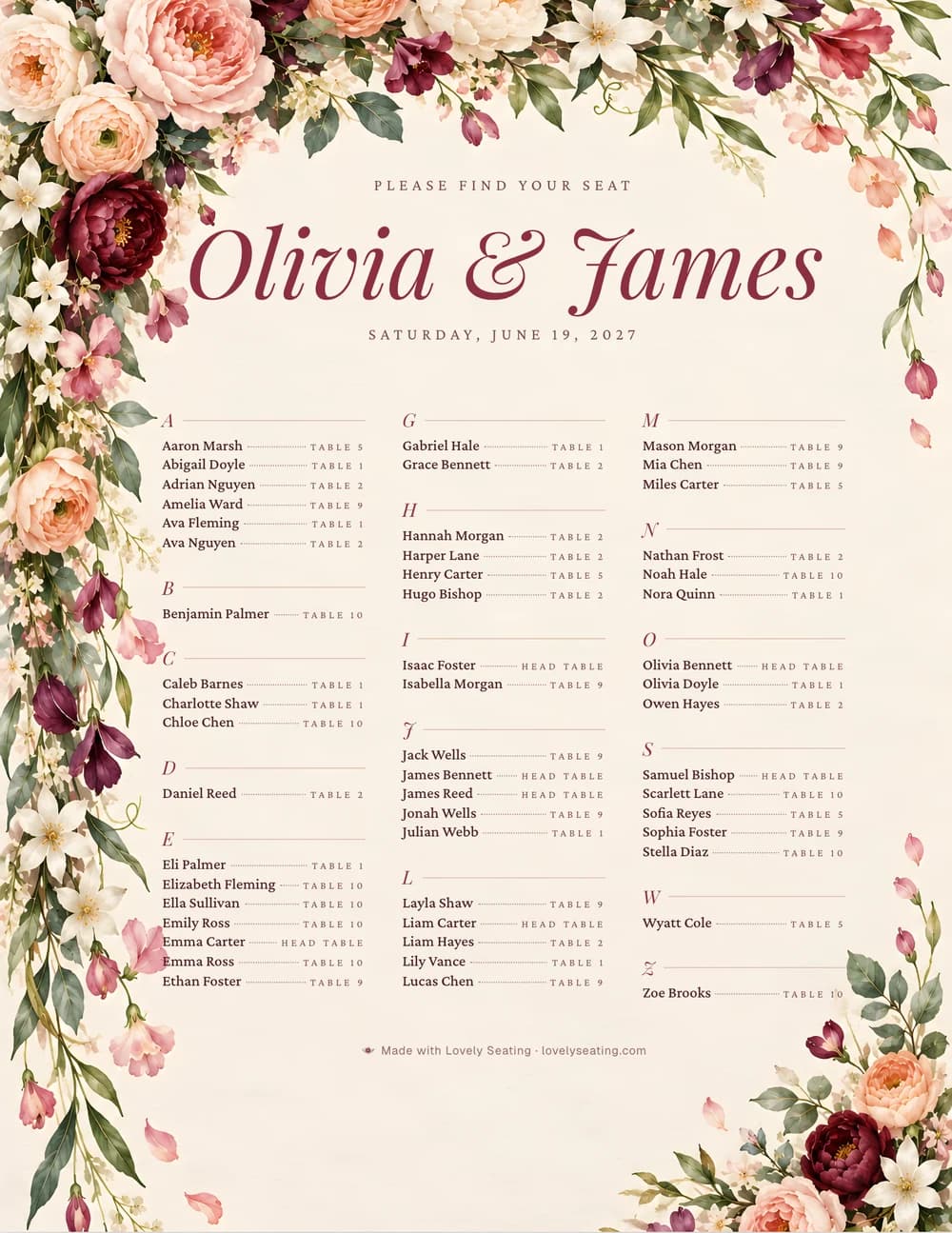
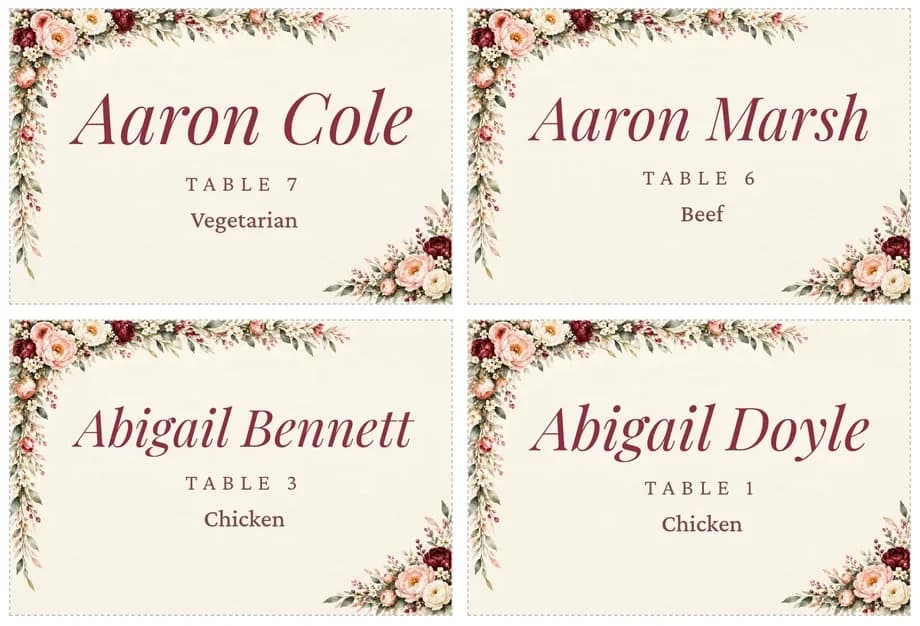
Prints in twelve painted themes
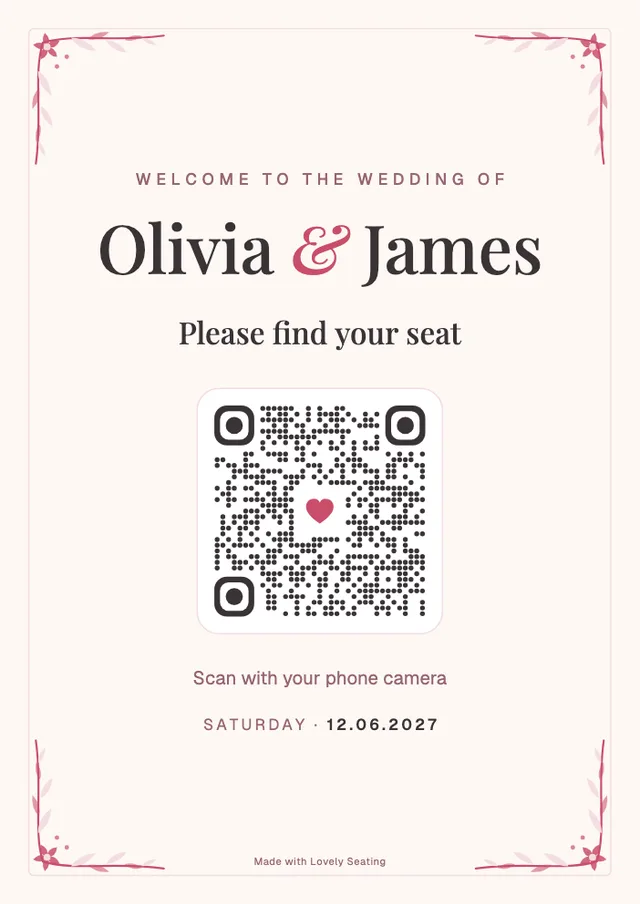
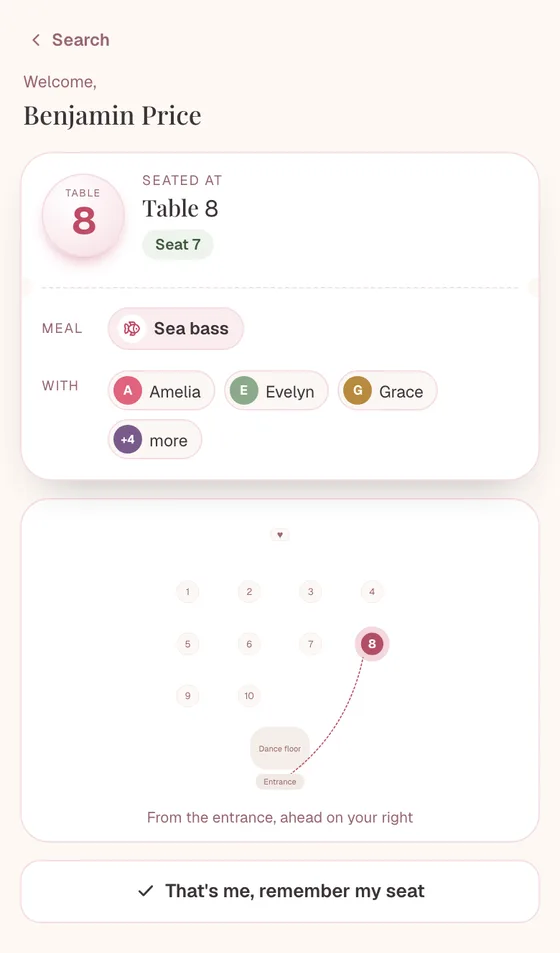
A find-your-seat page for guests
Auto-Seat That Also Knows Who’d Like to Sit Together
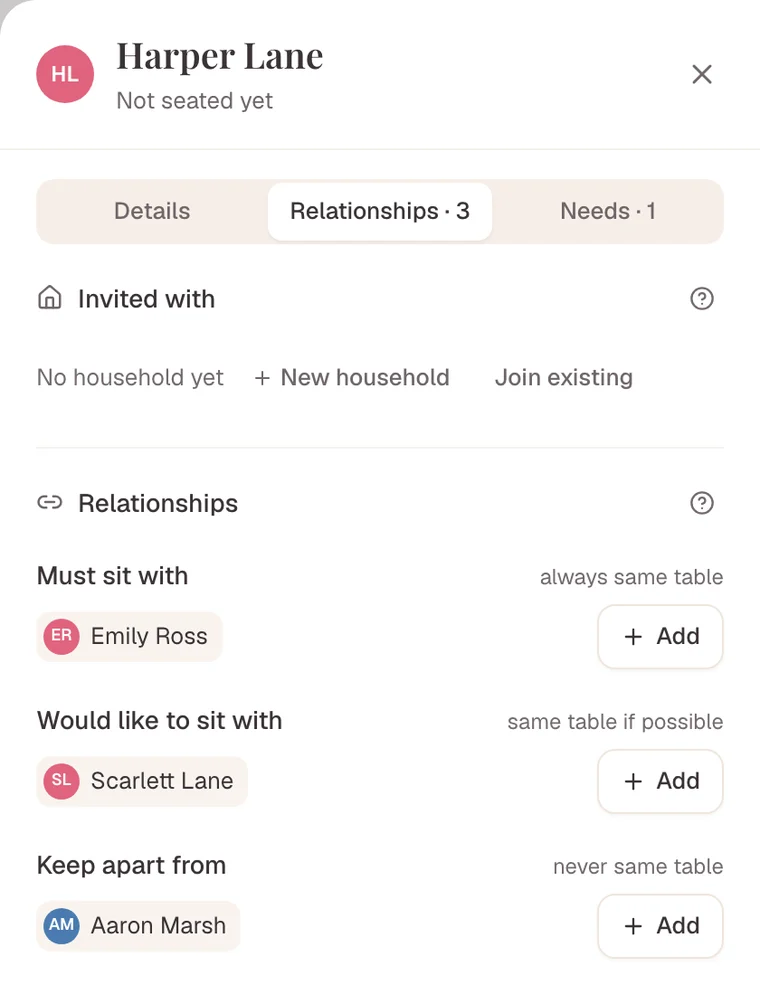
Tableplan.io’s auto-seat respects households, sit-with and keep-apart. Lovely Seating adds a softer rule for people who’d like to sit together, and seats guests with access needs at a fitting table.
- Must sit togetherCouples, families, a guest and their carer always share a table.
- Would like to sit togetherHonoured when there’s room, relaxed when there isn’t.
- Keep apartFeuding relatives or an ex never share a table. The reason stays private.
When a late RSVP or a plus-one arrives, re-run Auto-Seat: it fills open seats and guests you’ve seated stay put. Lock anyone you never want moved, and undo any run in one click. How Auto-Seat works.
Explore relationship-aware seating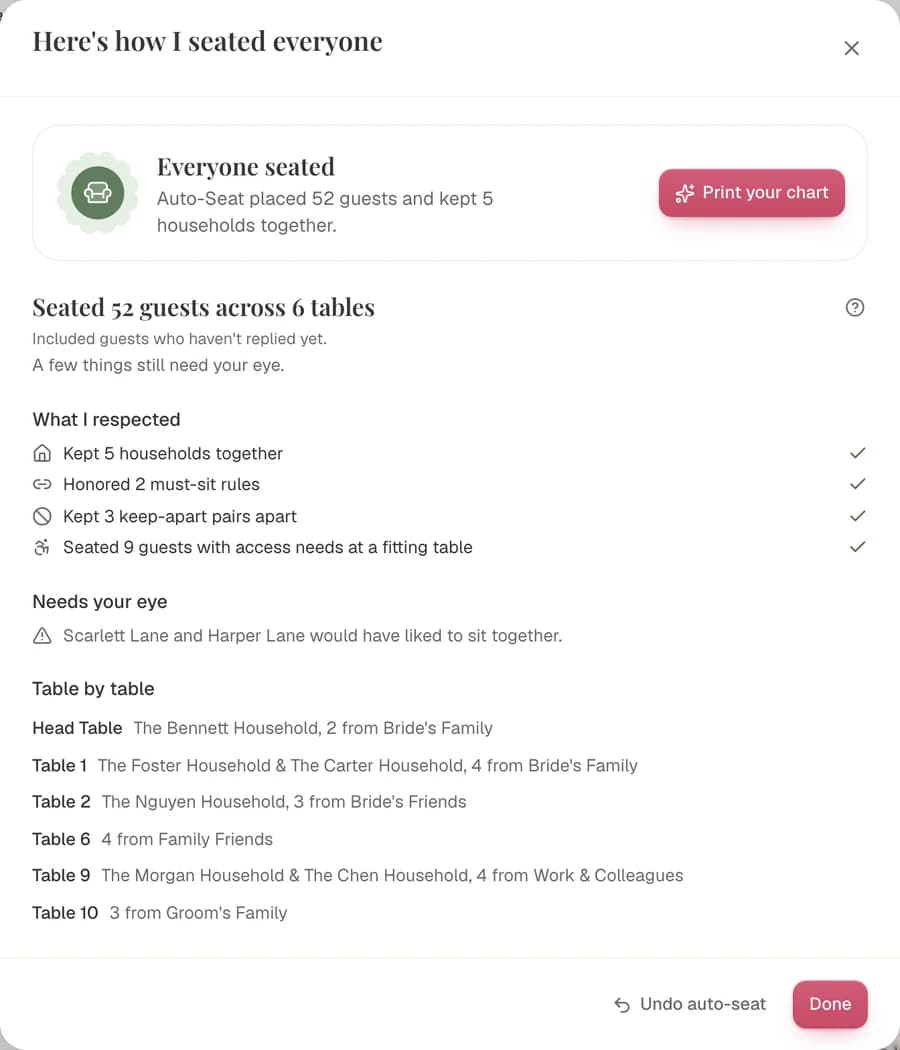
Bring Your Tableplan.io Guest List Over in Three Steps
Nobody gets re-typed. It’s a one-time import from a CSV, not a live sync.
On Tableplan.io:Export Your Guest List From Tableplan.io
- On a paid plan, export your guests to Excel or CSV.
- Or start from the spreadsheet you first imported into Tableplan.io.
- Keep a header row (Name, RSVP, Diet) so the columns match.
| First Name | Last Name | RSVP | Diet |
|---|---|---|---|
| Olivia | Bennett | Accepted | Vegetarian |
| Benjamin | Price | Accepted | |
| Emily | Carter | Pending | Nut allergy |
| Michael | Carter | Accepted |
In Lovely Seating:Pick Spreadsheet and Upload the File
Open Import guests, choose Upload CSV and pick Spreadsheet: it takes any CSV, including the one from Tableplan.io, and matches the columns.
Every import, step by step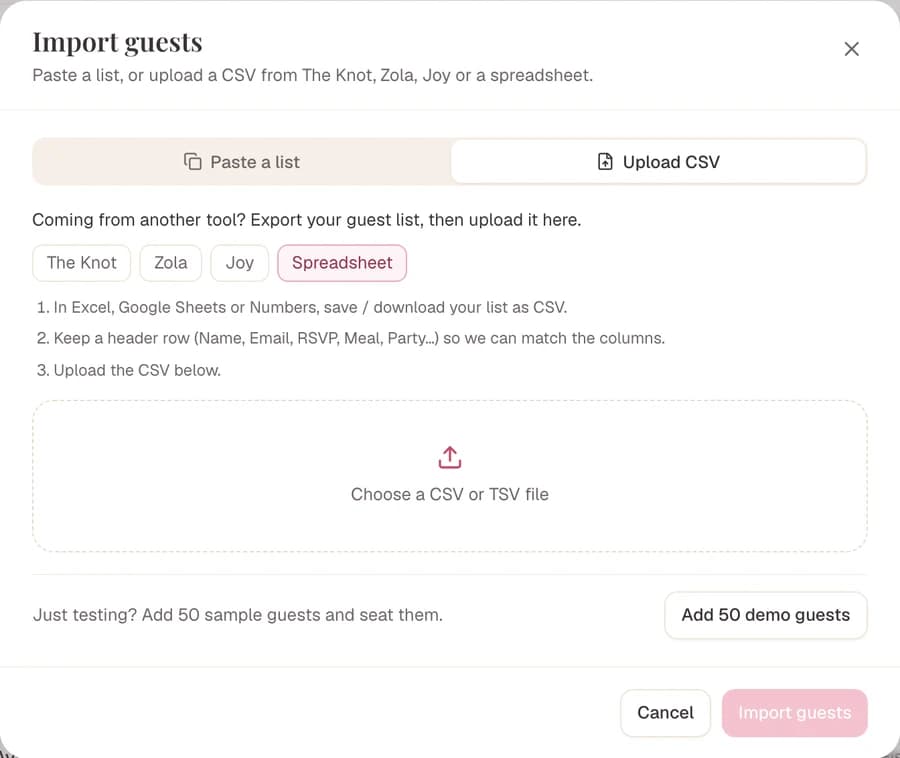
Before anything is added:Check the Columns, Then Seat Everyone
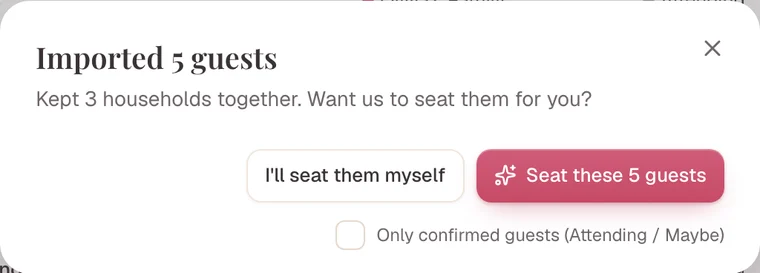
The columns are matched for you, plus-ones are linked and duplicates flagged before anything is added. Then one click seats everyone.
How Auto-Seat seats them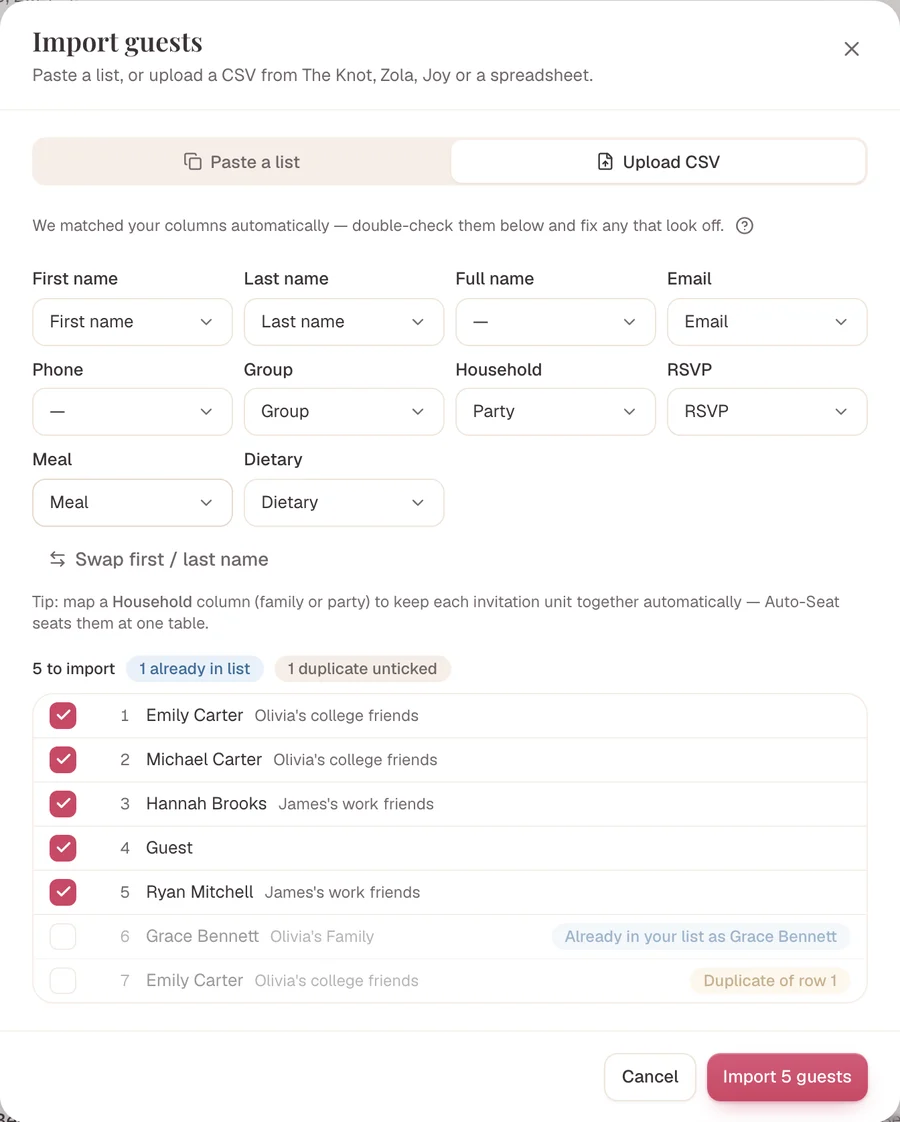
Should You Switch From Tableplan.io?
We’d rather you land in the right place than just sign up.
Stay with Tableplan.io if
- You already paid for your event and the plan is nearly done.
- You want a kitchen sheet with every dietary need by table.
- You like its checks for kids-only tables and declined guests.
Switch to Lovely Seating if
- You want to build and keep the whole plan before paying anything.
- You want your room and tables drawn at their real size.
- You want place cards, table numbers and a welcome sign from the same plan.
- You want a softer “would like to sit together” rule as well as keep-apart.
Questions Couples Ask
Is Tableplan.io free?+
Tableplan.io has a free demo with no account. On your own list it holds 30 guests across 4 tables, saved in your browser for 30 minutes after your last change.
Saving to an account, the share link, printing and export are paid: $49 once per event, or $99 a month on its Pro plan for planners.
Lovely Seating’s free plan saves your whole list to your account and shows the first 60 seated guests, prints included; a one-time Pro shows every seat.
Does Tableplan.io seat guests automatically?+
Yes, its auto-seat makes a first draft in one click and respects households plus sit-with and keep-apart rules.
Its checks also flag an over-full table or a table of only children.
Lovely Seating’s Auto-Seat adds a softer “would like to sit together” rule and seats guests with access needs at a fitting table, and it is on the free plan.
Tableplan.io or Lovely Seating: which is better?+
Both are solid browser tools with auto-seating, so it comes down to the details.
Tableplan.io is a good fit if you want to try the planner with no account and like its kitchen sheet of dietary needs by table.
Lovely Seating fits better if you want to keep your plan for free while you decide, a room drawn at real size, and place cards and table numbers from the same plan.
How much does Tableplan.io cost compared with Lovely Seating?+
Tableplan.io’s event plan is $49 once per event with no time limit, and its Pro plan for planners is $99 a month.
Lovely Seating is free to start, Pro is a one-time payment for one wedding with up to 5 seating plans, and the Agency plan for planners is a monthly subscription.
Both sites show prices in their own currency, so check them on the day you buy.
Is Tableplan.io the same as SeatPlan.io or Top Table Planner?+
No, they are three different products with similar names. Tableplan.io (tableplan.io) is a browser planner with auto-seat and a $49 event plan.
SeatPlan.io (seatplan.io) is a no-signup designer priced in pounds, and Top Table Planner (toptableplanner.com) is a web planner where you seat every guest by hand.
We compare each one on its own page.
Can I move my guest list from Tableplan.io?+
Yes: on a paid plan, Tableplan.io exports your guests to Excel or CSV; save the file as a CSV, or use the spreadsheet you first imported.
Upload it to Lovely Seating and the columns are matched for you, plus-ones are linked and duplicates are flagged before anything is added.
Seating doesn’t carry over, but Auto-Seat redoes the first pass in one click.
Sources and Last Check
Written by the Lovely Seating team and last checked in November 2026 against each platform’s own site and help pages. We update it when the tools change.
- Tableplan.io: home page (auto-seat, checks, floor plan, find-my-seat link, print, devices)
- Tableplan.io: pricing (free demo, $49 per event, $99 a month, refunds)
- Tableplan.io: free demo (30 guests across 4 tables, 30-minute browser save)
- Tableplan.io: wedding use case (sides, households, top table, prints)
Related Comparisons
- SeatPlan.io AlternativeA quick no-signup designer with cheap one-time plans, but paid plans keep your work for 90 days and seating is by hand.
- Top Table Planner AlternativeA simple web planner with place cards and partner logins, but every guest is seated by hand.
- PlanSeats AlternativeA tidy browser planner, but the free plan stops at 20 guests and 4 tables, with auto-assign on paid plans.

Keep your plan free. Pay once for every seat.
Import your guest list, lay out your room and let Auto-Seat place everyone, on any device.
Free to start · No credit card · $39 once for Pro, no subscription